
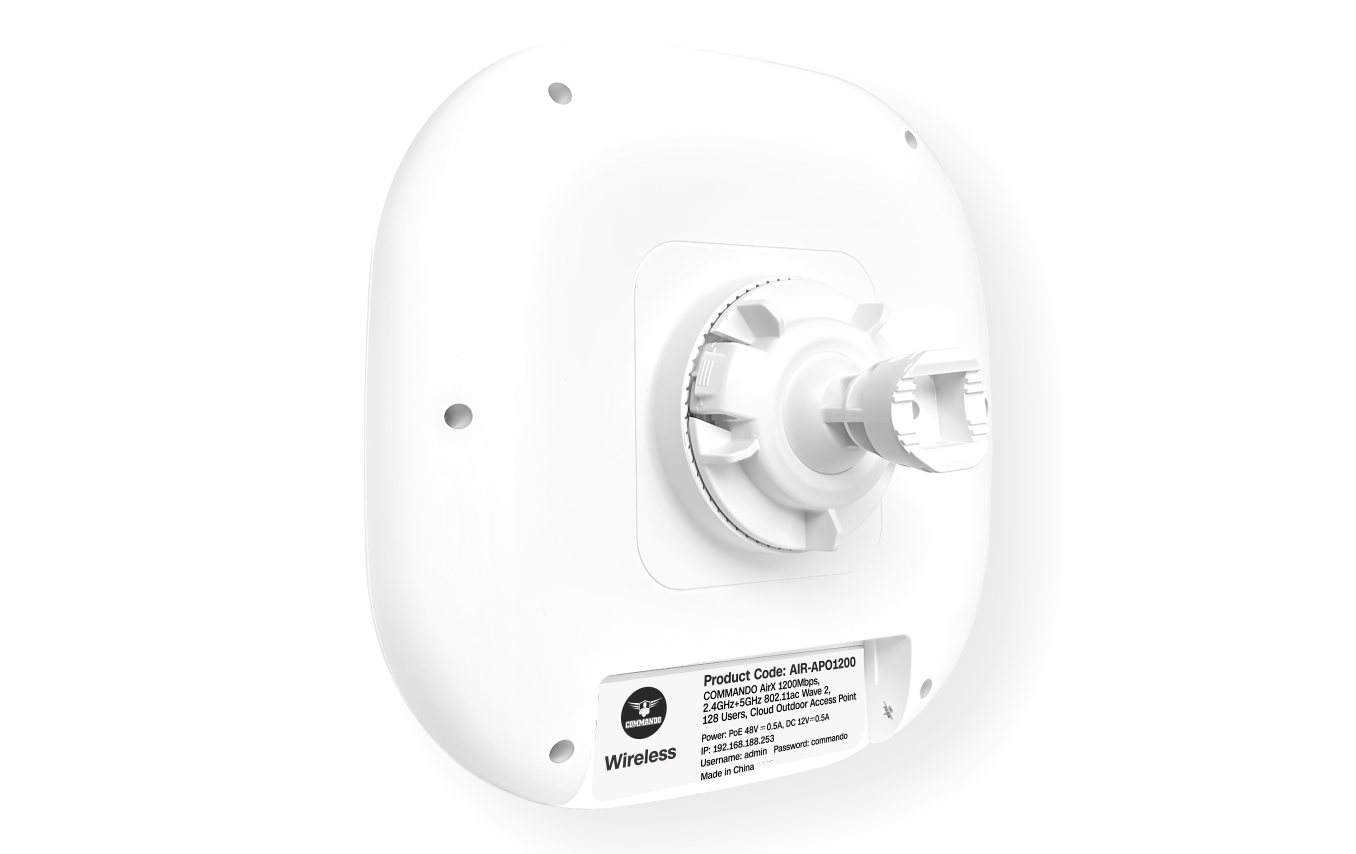
Overview
COMMANDO AirX series AIR-APO1200, 1200Mbps, 2.4GHz+5GHz 802.11ac wave 2, 128 Users, Wi-Fi 5 based Cloud Outdoor Access Point. It works in standalone as well as Controller-based mode. RouteX Series Controller enables communication between wireless users with speed up to 1200Mbps with advanced Wi-Fi 5, with built-in 2dBi FPC dual band MIMO Antenna. I is a dual Radio, Cloud Outdoor Access Point with works in standalone as well as AirX Controller based mode of operation. It is industrial grade Outdoor AP with weather resistant IP65 case specifically for outdoor installations.
It enables communication between wireless users with speed up to 1200Mbps with beam forming Wave 2 technology. It is standalone as well as controller-based device, comes with dual band with 2.4GHz (300Mbps) and 5GHz (867Mbps), equipped with separate 1G WAN port and 1G LAN port. It can provide powerful wireless access in large-scale, low-density, high-bandwidth environments such as hotels, supermarkets, offices, restaurants, enterprise environments such as Small, Medium enterprises, university campus, concert venue, gymnasium, etc.
It is industrial grade APO which can install at every place to work as a stable base station for wireless users. Its ceiling-mounted design, integrated Ethernet interface, and sleek appearance make it easy to deploy, and it can be seamlessly integrated into the ceiling or wall without disrupting the overall interior design layout. It is an ideal choice for wireless access in large-scale, low-density, high-bandwidth environments. It supports (IEEE 802.3af/at) PoE/PoE+, which helps in easy installation by eliminating the need of a dedicated power source and need of a power adapter. It can identify and determine the correct transmission speed and half/full duplex mode of the attached devices. It also supports standard Auto-MDI/MDI-X that can detect the type of connection to any Ethernet device without requiring special straight or crossover cables, Store-and-Forward forwarding scheme to ensure low latency and high data integrity.
It is powerful, long range and advance Wi-Fi 5 Outdoor Access Point with weatherproof IP65 casing and has configuration modes namely FAT and FIT mode (Default Mode is FIT mode). It supports range of 91 meters and above depending on surrounding conditions with 2dBi FPC antenna. It is industrial grade Wall/Ceiling IEEE 802.3af/at 48V PoE+ standard, install at every place to work as a stable base station for access users. It is equipped with separate Gigabit Ethernet LAN PoE and LAN port.
It can be installed at every place to work as a stable base station for wireless users. It has IP65 resilient weatherproof enclosure protects the access points against harsh outdoor condition. Lightning Protection ±6KV with no Ingress of dust as well as waterproof enclosure. It is an ideal choice for wireless access in large-scale, low-density, high-bandwidth environments.
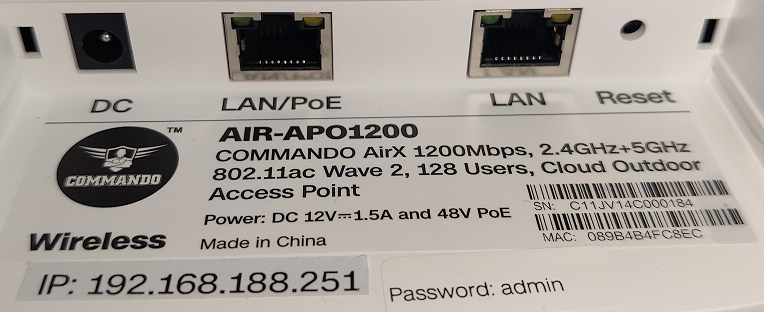
Fig 1. Physical port on AIR-APO1200
Table 1. Physical port on AIR-APO1200 Description.
| Physical Port | Description |
|---|---|
| Reset | Reset Button, makes AP revertto default settings after pressing for 15sec. |
| LAN/PoE | LAN Port, connect with PoE+ Switch or internet gateway. |
| LAN | Dedicated LAN Port |
| DC | DC inputpower 12V, 1.5 A. |
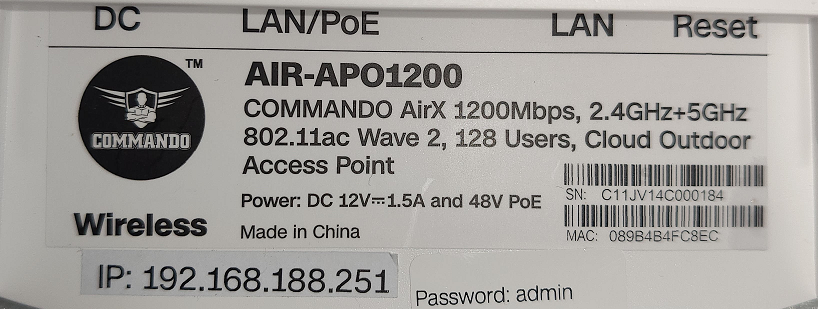
Fig 2. AIR-APO1200 Description
Important Note: Access IP for AIR-APO1200 is 192.168.188.251 and default password is admin.
Recommended: It is required to delete browser history before taking access of device as it can give cached pages error for access of device.
It supports three operational modes FIT, FAT & FAT Routing operation mode. In FIT mode, AP works with the RouteX Controller and all configuration is centrally managed by controller. In FAT mode, AP can use WEBGUI and configure standalone AP. In FAT routing mode can also work as gateway alone with standalone AP operation (Default mode is FIT-AP mode). It supports up to 128 wireless users/clients & supports distance of 110 meters and above from AP in all directions for wireless clients. It is industrial grade Wall/Ceiling Outdoor Access Point with speed up to 1200Mbps which enhances the sharing of files, photo, audio, video and gaming experience over wireless network. It can also be used as DHCP server and works as layer 3 device when configured in FAT-Routing mode. It supports (IEEE 803.3af/802.3at) PoE/PoE+, which helps in easy installation by eliminating the need of a dedicated power source and need of a power adapter. It can identify and determine the correct transmission speed and half/full duplex mode of the attached devices. It also supports standard Auto-MDI/MDI-X that can detect the type of connection to any Ethernet device without requiring special straight or crossover cables,
You can access and manage AIR-APO1200 using the Web based GUI (Graphical User Interface), also called WEB-GUI interface.
Introduction
It supports FIT/FAT operation mode. In FIT mode, AP works with the RouteX Series controller and all configuration is centrally managed by controller. In FAT mode, AP can use WEBGUI and configure AP and routing mode. Default mode is FIT mode. It is equipped with the latest and fastest Wi-Fi 5(802.11ac) technology. It provides Gigabit Ethernet speed for LAN with PoE+ (IEEE 802.3at) as well as DC power to power ON AP. It is energy efficient AP is built well, rigorously tested, and can sustain very rough environment. RF power adjusts according to congestion or disturbance in environment and provides reliable performance. It has IP65 resilient weatherproof enclosure protect the access points against harsh outdoor condition. Lightning protection ±6KV with no Ingress of dust as well as waterproof enclosure. It is standalone as well as controller-based Web-GUI easy to use and manage device. It requires minimal configuration, so setup is simple and hassle-free. Auto-negotiation senses the link speed of a network device in wired 10/100/1000Mbps and also for wireless devices intelligently adjusts for compatibility and optimal performance by DFS. It is ideal for installation to any desktops/wall/ceiling with limited space. Dynamic LED lights provide real-time work status display and basic fault diagnosis. Easy Installation, Plug-and-play installation with no configuration required. It supports 128 wireless users/clients with Max 64 users to access each band. It supports distance of 110 meters and above from AP in all directions for wireless clients. It is equipped with dual power options, including DC input and PoE/PoE+ support, providing redundancy to safeguard against power failures. This dual-power architecture ensures continuous operation of the device, mitigating potential downtime and extending its operational lifespan. By integrating this feature, businesses can protect against the financial and operational risks associated with power disruptions, ensuring uninterrupted connectivity for critical network devices, users, and servers. It support Flexible user Access Control Policies and network Security to meet varied Customer needs. MAC Filtering function to block the access of illegal hosts.
COMMANDO AIR-APO1200 FIT mode works with RouteX Controller
COMMANDO AIR-APO1200 supports FIT mode works with RouteX Controller, which can provide cloud-based access and functions as follows
Monitoring
Interface, Terminal, protocol, Policy, System, Flow Control.
System Setup
Basic Setting, Disk management, Cloud Account, Advanced Settings like ALG Set, Administration, Upgrading, Reboot.
Network
Interfaces, DHCP, DNS, IP/MAC Group, Static Routes, VLAN, VPN Client, UPNP NAT, Port Mapping, IPv6, IGMP Agent.
Flow Control
Multi-WAN features Load Balancing/Protocol/Port Forward/Domain Name/Upload/Download, Smart Flow Control, IP/MAC Limiters, protocol Library.
Access Controller
Wireless overview, AP Configuration, AP group, AP Firmware Upgrades, Wireless blacklist and whitelist, User Information.
1. Wireless overview: Open Access Controller with ON/OFF button. The connected AP will automatically enter the AP device list and can Manage AP. Running State of AP status with Online AP, Offline AP, fast roaming, 5G first along with terminal statistics like 2.4G online, 5G online, peak online, active terminal, inactive terminal. Wireless Network Rating with traffic statistics, terminal association details with Access evaluation, Access times, Average access success rate with Network transmission quality.
2. AP Configuration:Access Point Configuration with All groupings, All Status like Online/Offline/Upgrading, All Frequency like (2.4G+5G) & IP/MAC/Model/Remarks. Interference Analysis with Start Searching AP, MAC, Remarks, BSSID, BSSID Remark, SSID, Signal Value, Channel along with Import or Export configuration files. Default Configuration for 2.4G, 5G Radio with other Setting like SSID1 Name.
SSID1 Security No Password, SSID1 VLAN Close, Hide SSID1 Name Open, SSID rate limit Open, Guest Mode Open (Isolate guest devices discovery and access to wired network) Channel Auto, AP Signal 80% default Channel width. This channel width 20/40 MHz in 2G band and 5G band can change to 80MHz or self-adaptation (auto), Airtime scheduling, Advanced settings like Beacon frame power.
Follow AP signal strength Beacon frame interval 200ms, RTS threshold0, Low-rate access license Allow all, Management frame rate 1Mbps.
3. AP group: AP Group Add/Delete with Group name, Number of AP, channel, Maximum belt capacity, SSID, Actions. With Add button click we can set Group name with 2.4G/5G control state information.
4. AP Firmware Upgrades: Access Point Upgrades with MAC/Model, Upgrade All, Batch Upgrade with information like MAC Address, Current Version, Latest Version, Status, AP Remarks, Actions
5. Wireless blacklist and whitelist: With Add, Import, Export, Enable, Disable, Delete which also shows Mode, Terminal MAC address, SSID, AP, week, time, comment, Status, Actions
6. User Information: User Information with IP/MAC/SSID, All Frequency (2.4G/5G), All users along with weak signal users and normal users showing information like IP Address, MAC, AP Information, SSID, Signal, Connect Time, Tx, Rx, Comment, Actions.
7. Wireless Terminal VLAN: Allows segmentation of wireless clients into different VLANs for
enhanced security, traffic management, and access control.
8. Wireless Network Optimization: Improves wireless performance by automatically
adjusting channels, transmission power, and interference settings for a stable and efficient connection.
Authentication
Captive Portal, VPN Server, Authentication Account, Push Notification.
Behavior
Behavior Audit with Mark MAC Address, MAC Control, Website Control, URL Control, Application protocol Control, Secondary Routing, QQ, Blacklist/Whitelist.
Firewall
ACL Rules, ARP binding, Connection Limiter, Advanced Firewall. Advanced application-->Dynamic DNS, SNMP, Application across three layers, Wake on LAN, FTP Server, HTTP Server, UDPXY Set.
Services
Ping Test, Capture Packet, Trace Route, IP Sub-netting, Speed Test, Diagnostics, Watchdog.
Log
User Logs, Function Logs, System Logs.
COMMANDO AirX Ceiling APO’s also can be controlled from cloud captive portal with RouteX controller with Cloud Login https://commandonetworks.com.cn/#/login.
COMMANDO AIR-APO1200 FAT mode works as autonomous / standalone
How to take access of COMMANDO AIR-APO1200
-
Wired access Via LAN port connected to PC. (Method-1)
PowerON AIR-APO1200 eitherby PoE/PoE+ switchor 12V, 1.5A adapter. Connect LAN port of AIR-APO1200 to PC via RJ-45 cable.
Open Network and sharing enter. Go to Change adapter settings.
Double click on Local Area Connection. Go to Properties. Double click on Internet Protocol Version 4 (TCP/IPv4) option and set any IP address form 192.168.188.1 to 250 and Gateway of PC to be set as 192.168.188.251 to as shown below.
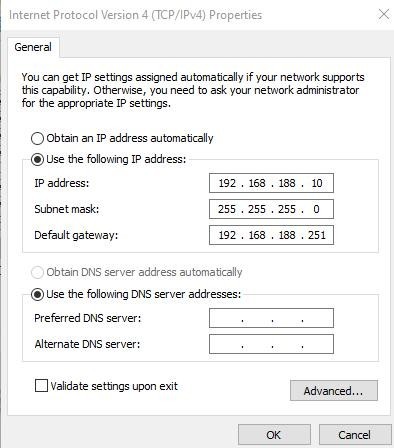
Fig 3. IP setting in PC connected to AIR-APO1200
Important Note: Clear browser history to mitigate cache web pages issue.
Open Browser and give IP address 192.168.188.251.
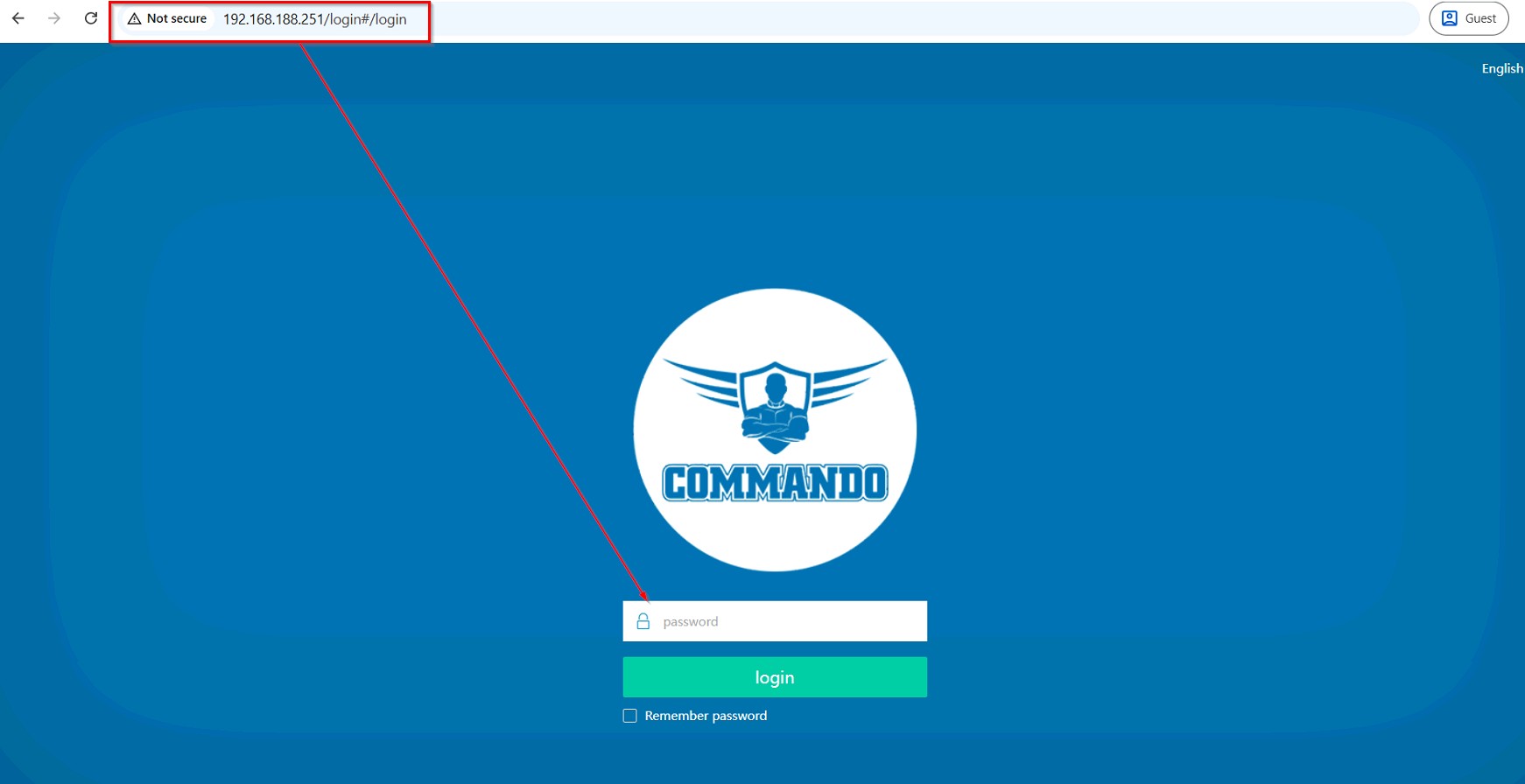
Fig 4. Access page of AIR-APO1200
Note: By default password is admin. This password can be changed as per user requirement.
-
Wireless access Via SSID connected to PC.
Power ON AIR-APO1200.
Connect Default SSID named “2.4G_default” or “5G_default” with no default WiFi Password required. It is open to all by default.
Click on properties of connected SSID “2.4G_default” or “5G_default”.
Edit IP setting from DHCP to Manual and set any IP address form 192.168.188.1 to 252 and Gateway of PC to be set as 192.168.188.251 to as shown below.
Note: All Default SSID and password can be changedas per user requirement.
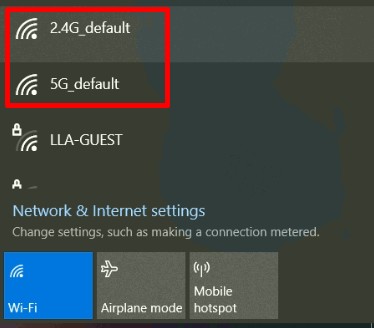
Fig 5. Default Open SSID of AIR-APO1200
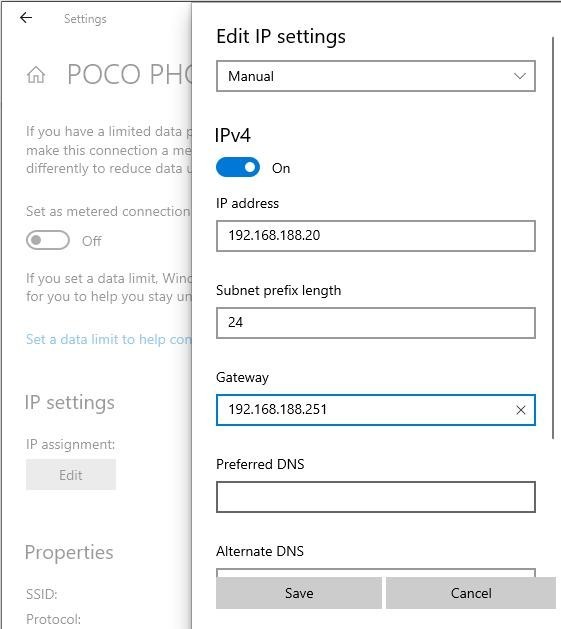
Fig 6. Edit IP settingfrom DHCP to Manual as shown for 2.4G_default
Open any web browser like Chrome/Firefox/Internet Explorer/Opera etc and enter default IP address 192.168.188.251 in addressfield.
Caution: If you have already taken any Other COMMANDO wireless device access. Then before taking access of this device, you are required to clean the browser history to avoid cached pages issue.
Important Note: If you reset it by pressing Reset button to factory reset then access page will come in Chinese language.
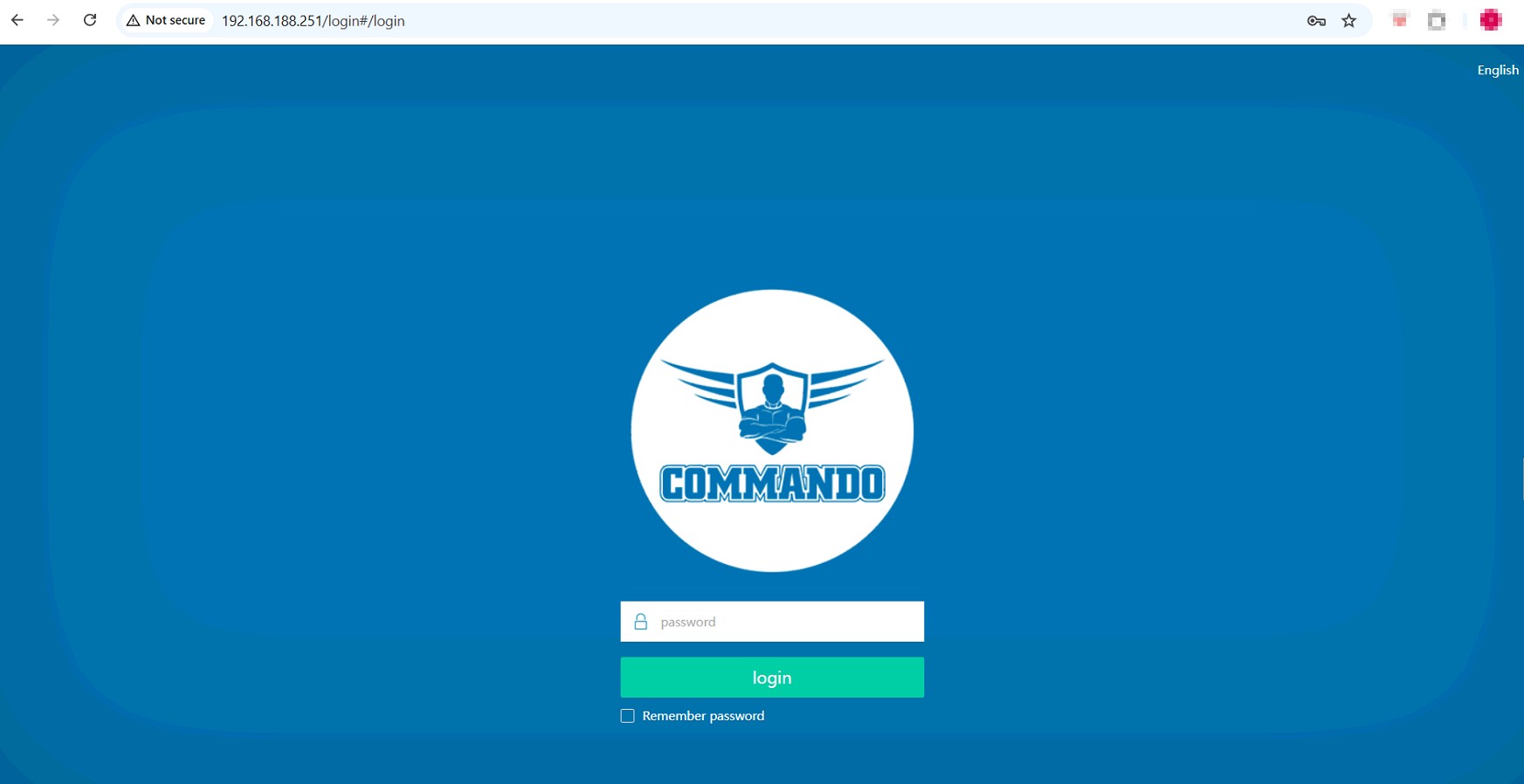
Fig 7. Login page for AIR-APO1200 Page
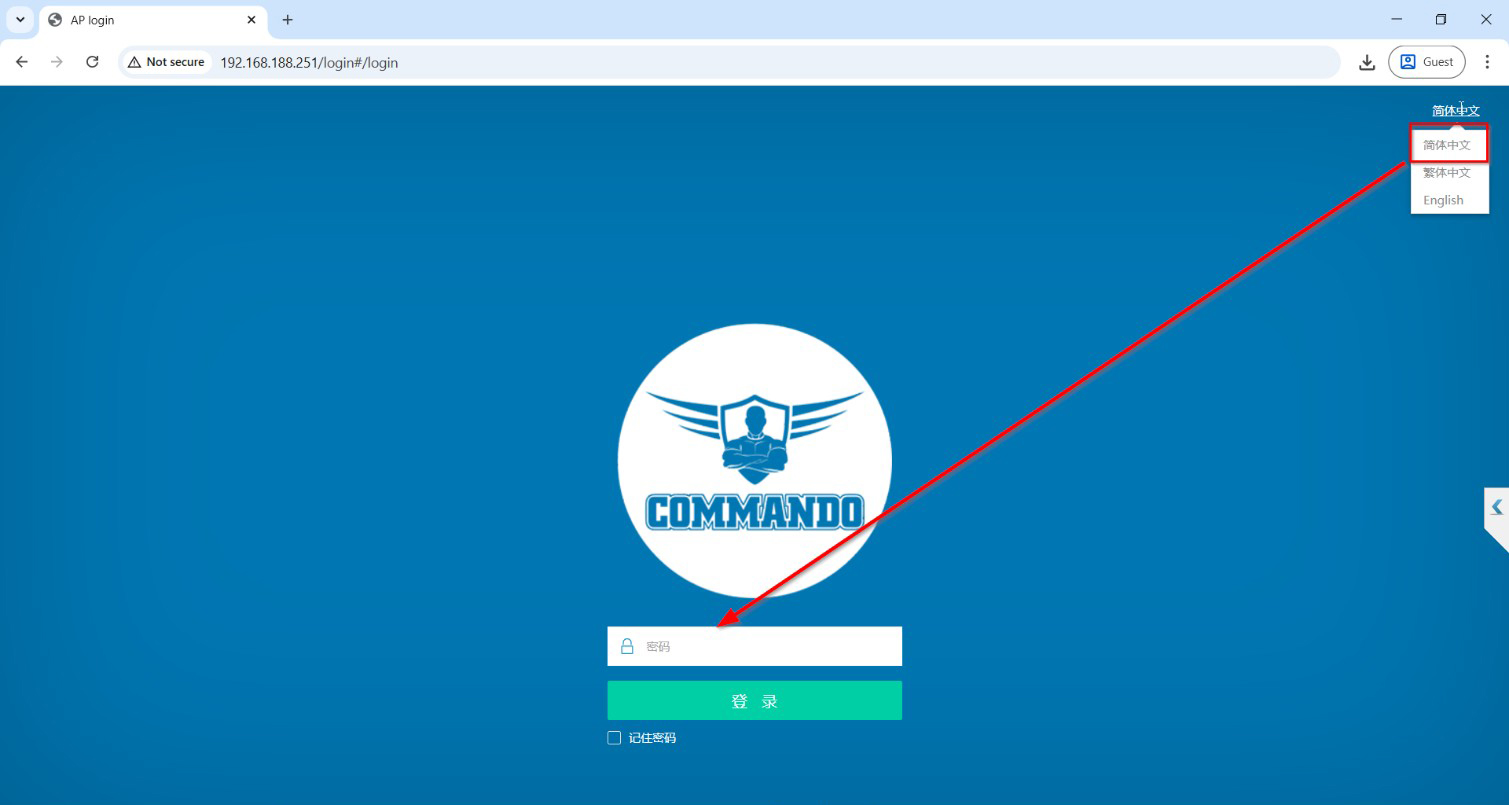
Fig 8. To change Login Language to English for AIR-APO1200 Page
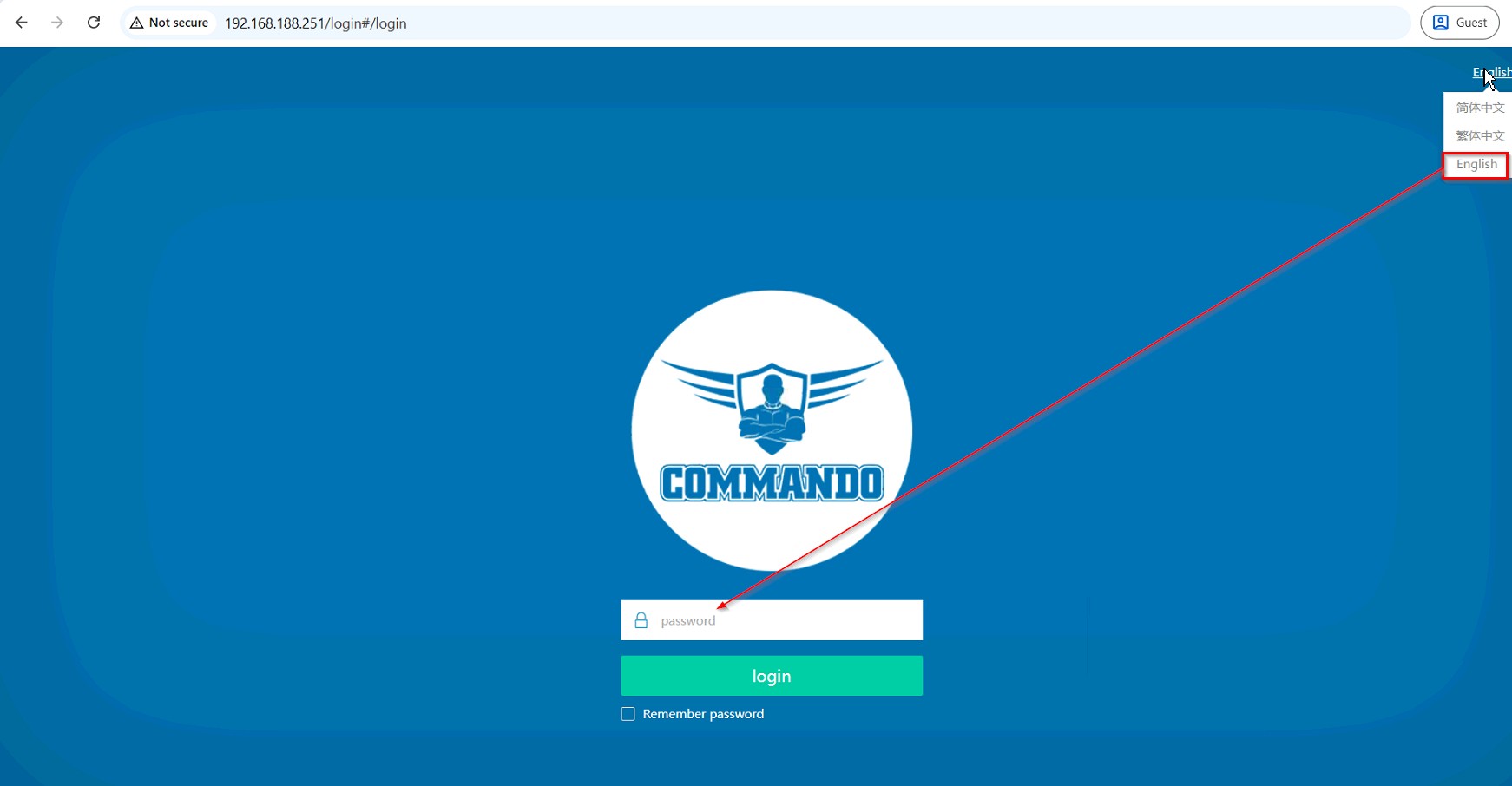
Fig 9. Loginfor AIR-APO1200 Page
Note: By default password is admin. This password can be changed as per user requirement.
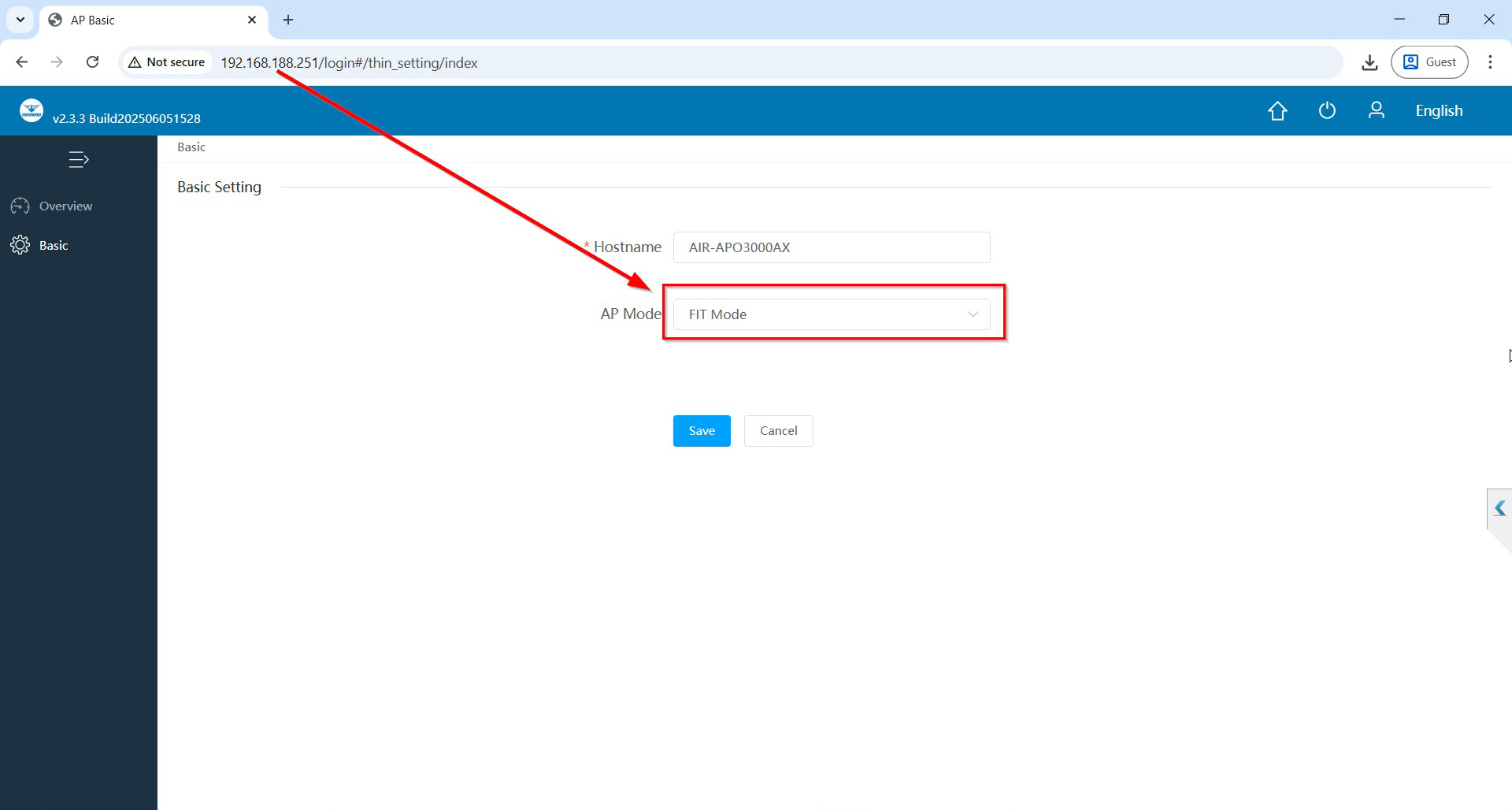
Fig10. Login page for AIR-APO1200 Page
After getting this page select mode for operation for AIR-APO1200
1. FIT Mode: Default mode of operation and works with RouteX Controller.
2. FAT-Routing mode: Select this mode to be managed AP to be connected to the AP LAN for management. When using the whole network management function, the AP mode should be switched to FAT-routing mode or FAT-AP mode, and the superior equipment should turn off the AC management function.
3. FAT-AP mode: There is no limit to selecting the AP connection interface in this mode. The managed device is set wirelessly in Wi-Fi settings, and separate SSID setting is not supported.
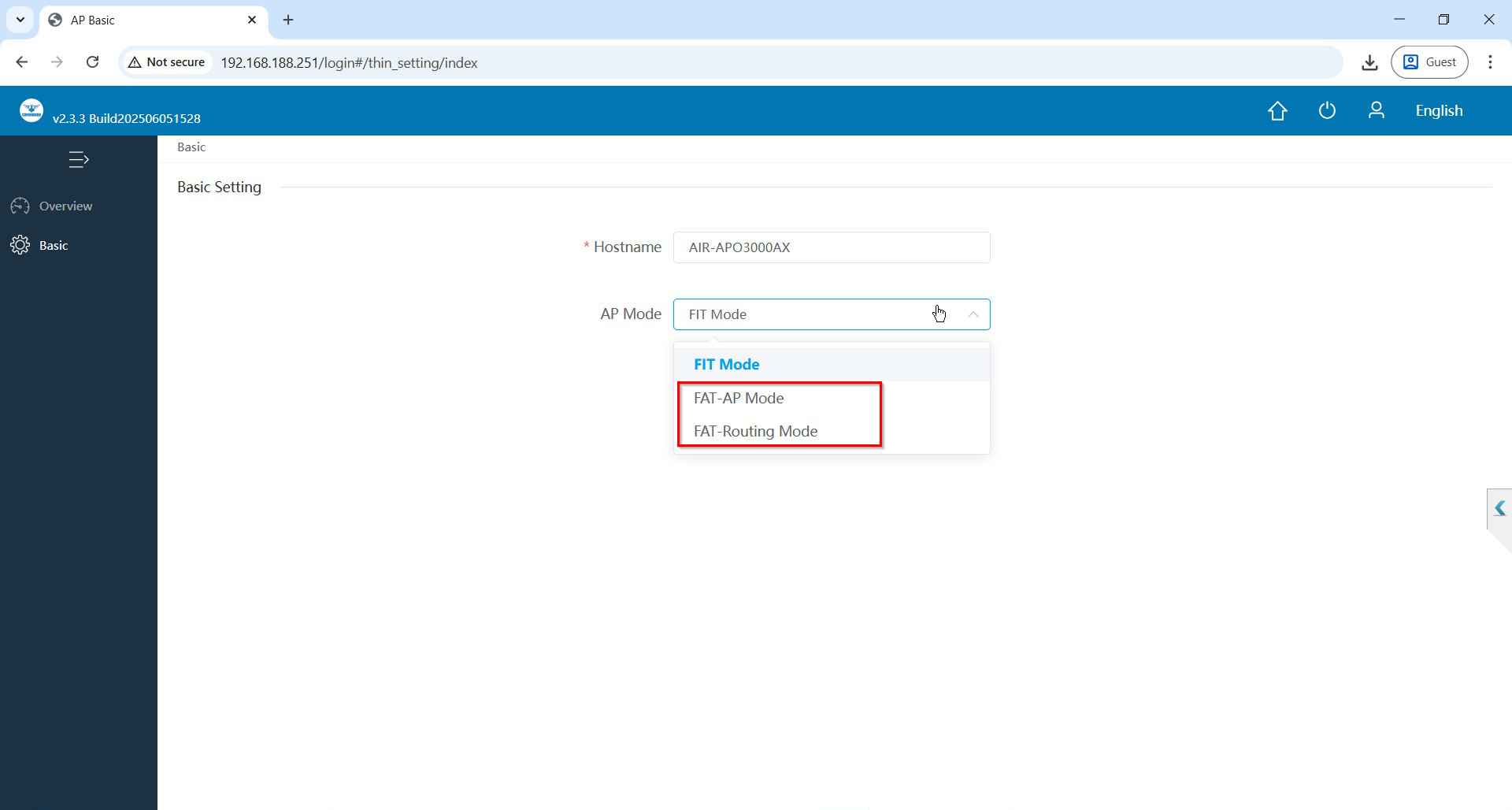
Fig 11. Selection of FAT mode of operation for AIR-APO1200 Page
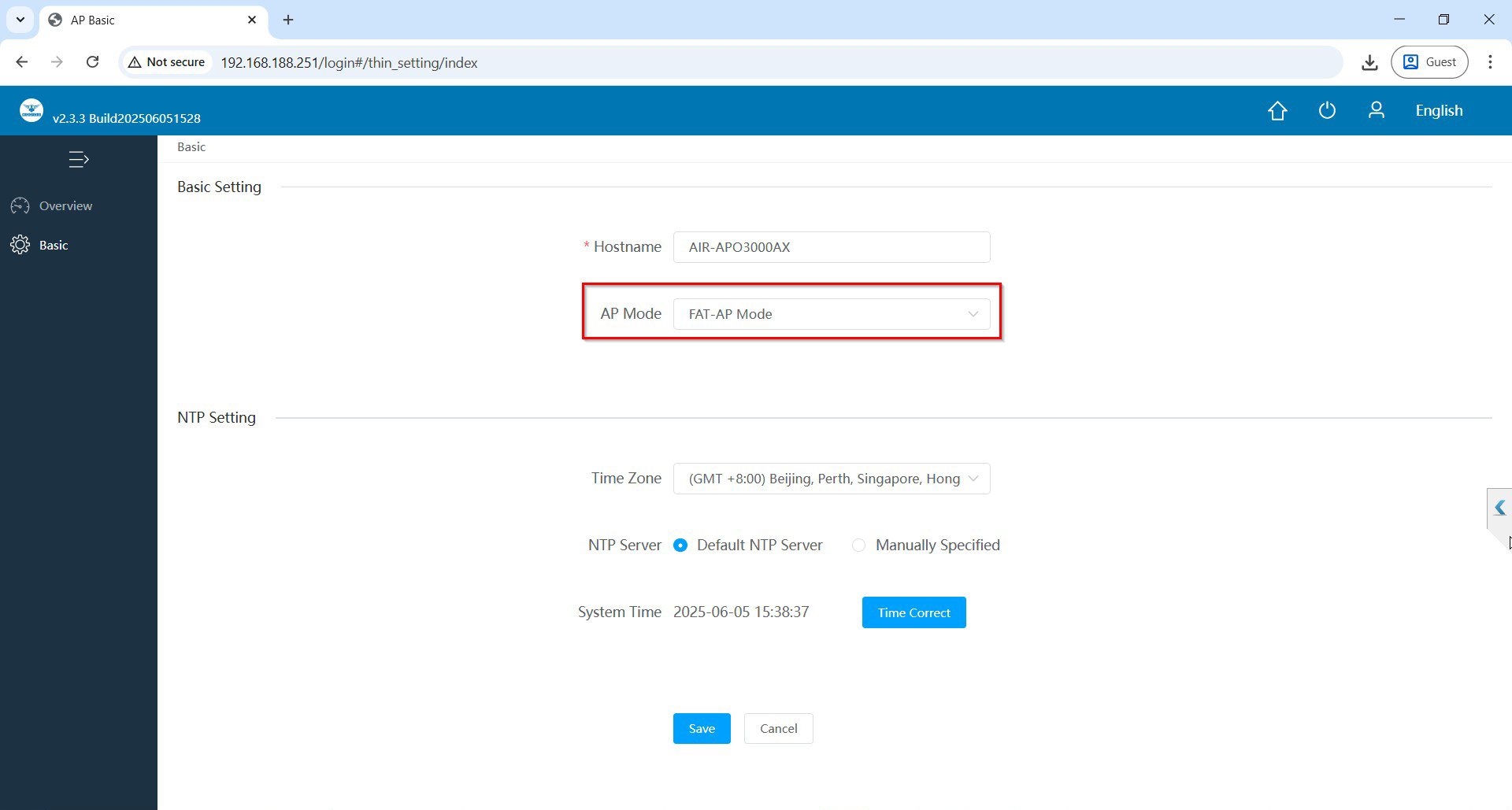
Fig 12. Selected of FAT-AP mode of operation for AIR-APO1200 Page
After selecting mode save and confirm.
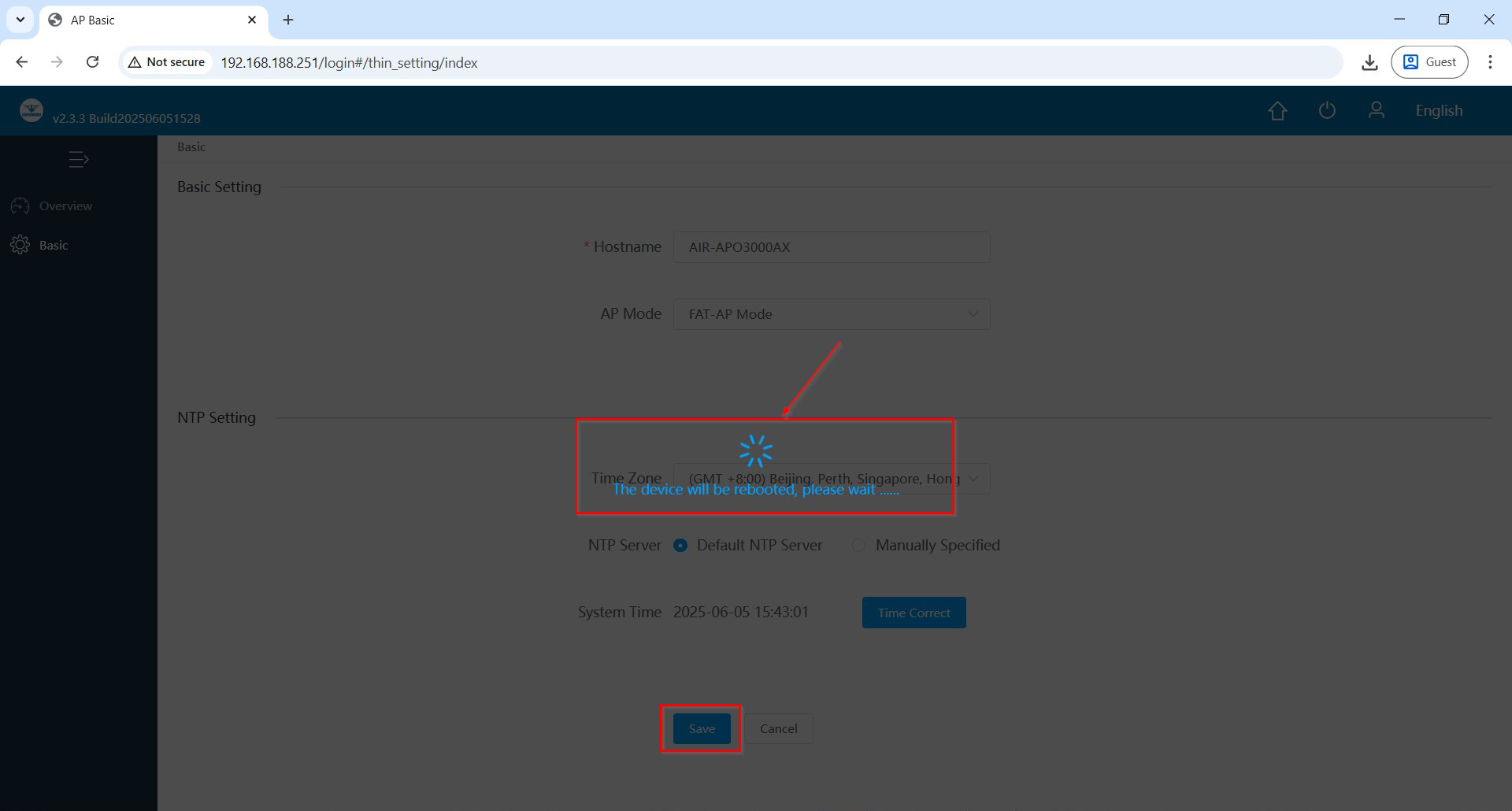
Fig 13. Switching FAT-AP mode of operation for AIR-APO1200 Page
Note: Enter the Password admin.
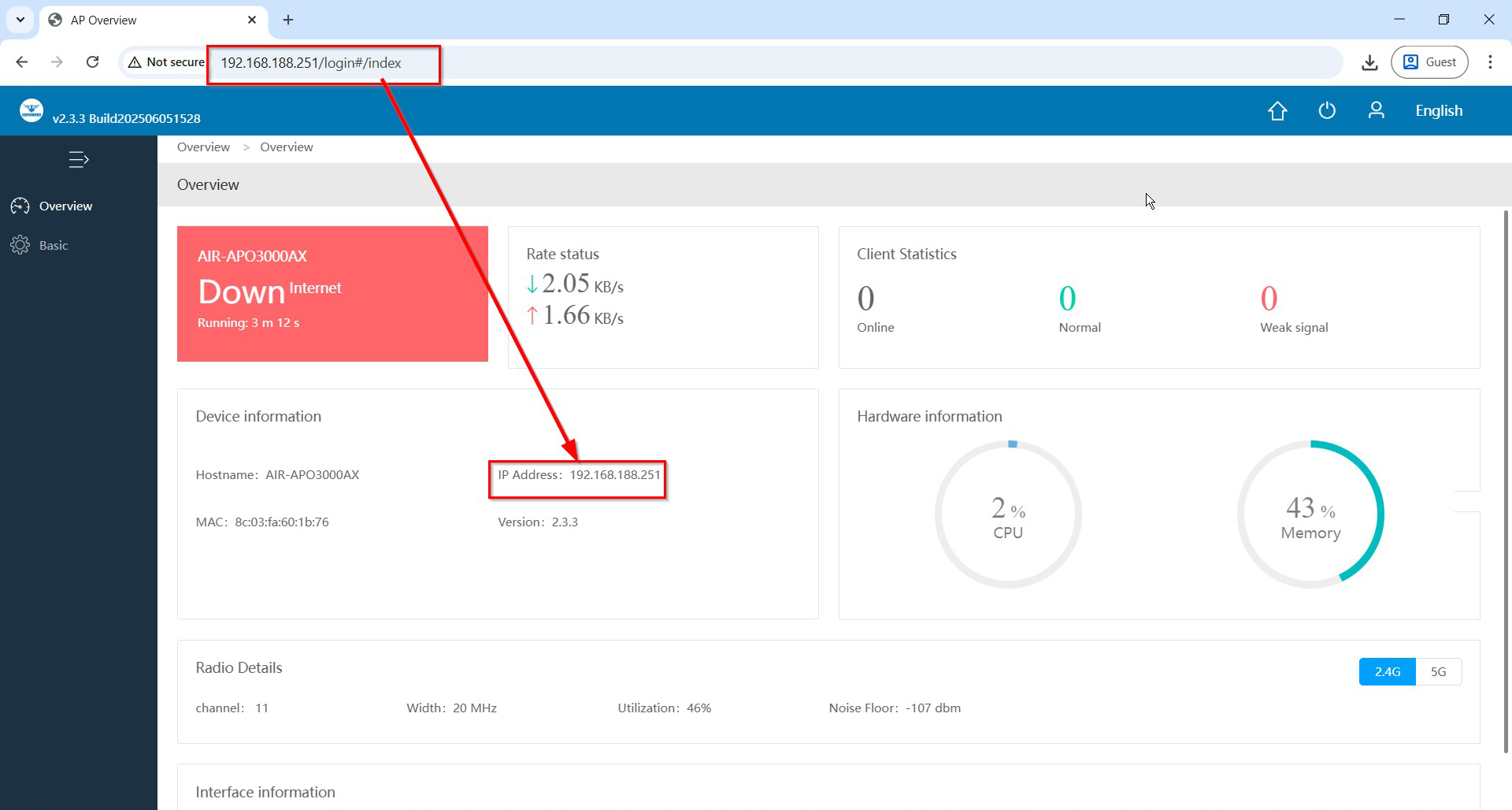
Fig 14. Switching FAT-AP mode of operation for AIR-APO1200 Page
Very important to understand that if you are connecting WAN with DHCP setting on other router/gateway/ device then the default IP 192.168.188.251 will be changed to IP got from DHCP server due to following default setting in COMMANDO AP.
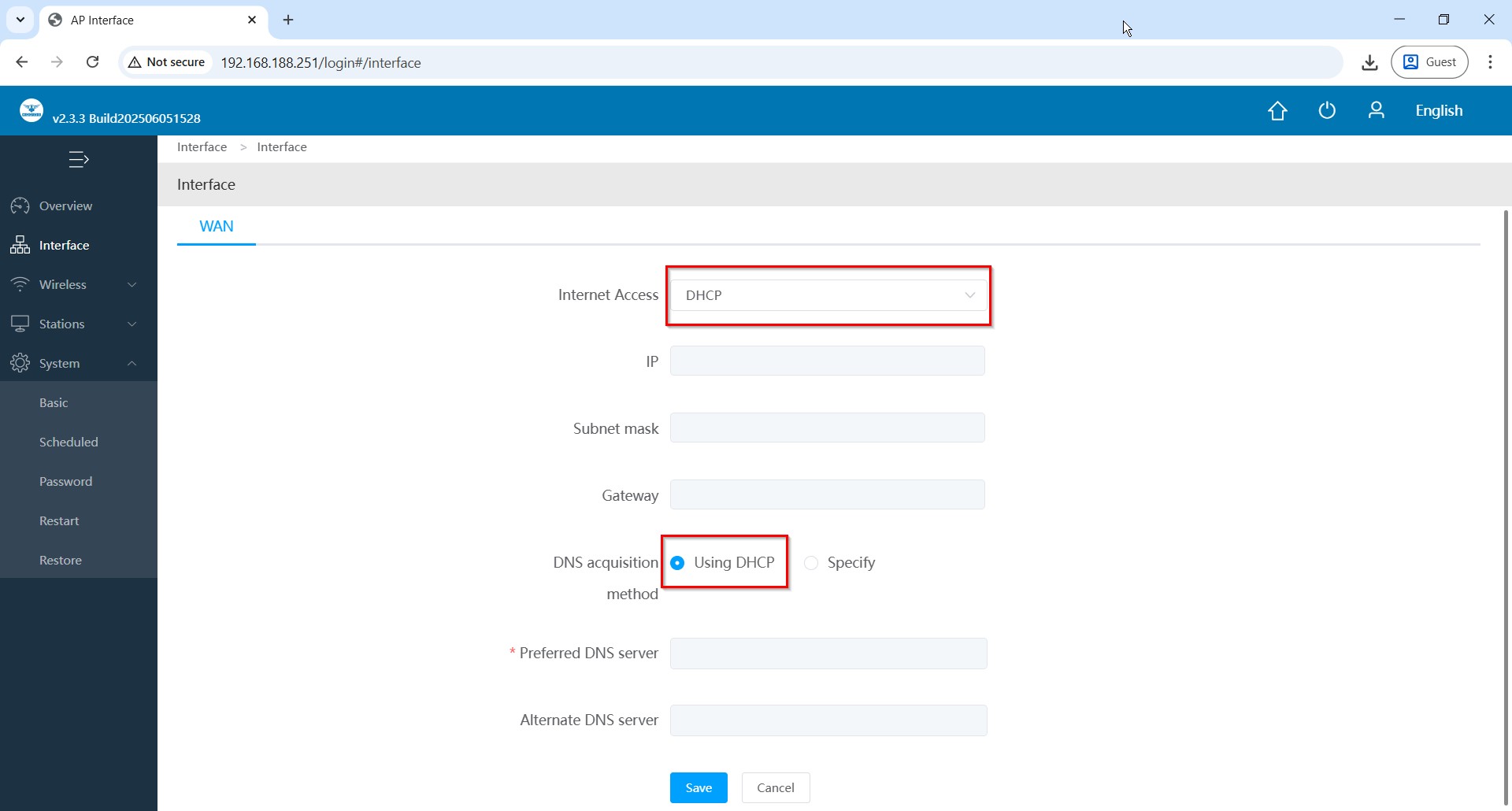
Fig 15. WAN setting in FAT-AP mode of operation for AIR-APO1200 Page
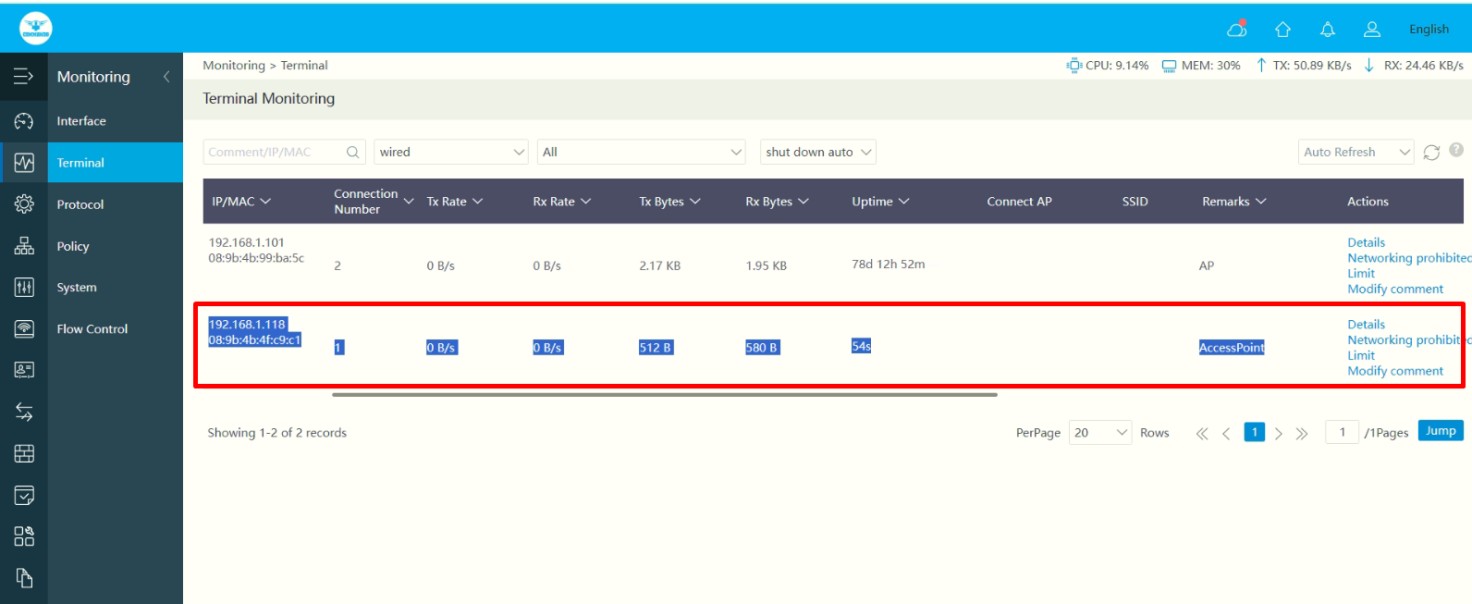

Fig 16. New IP for WAN from DHCP Page
Now this default IP 192.168.188.251 will not work and taken over by new IP 192.168.1.118 provided by DHCP server providing internet.
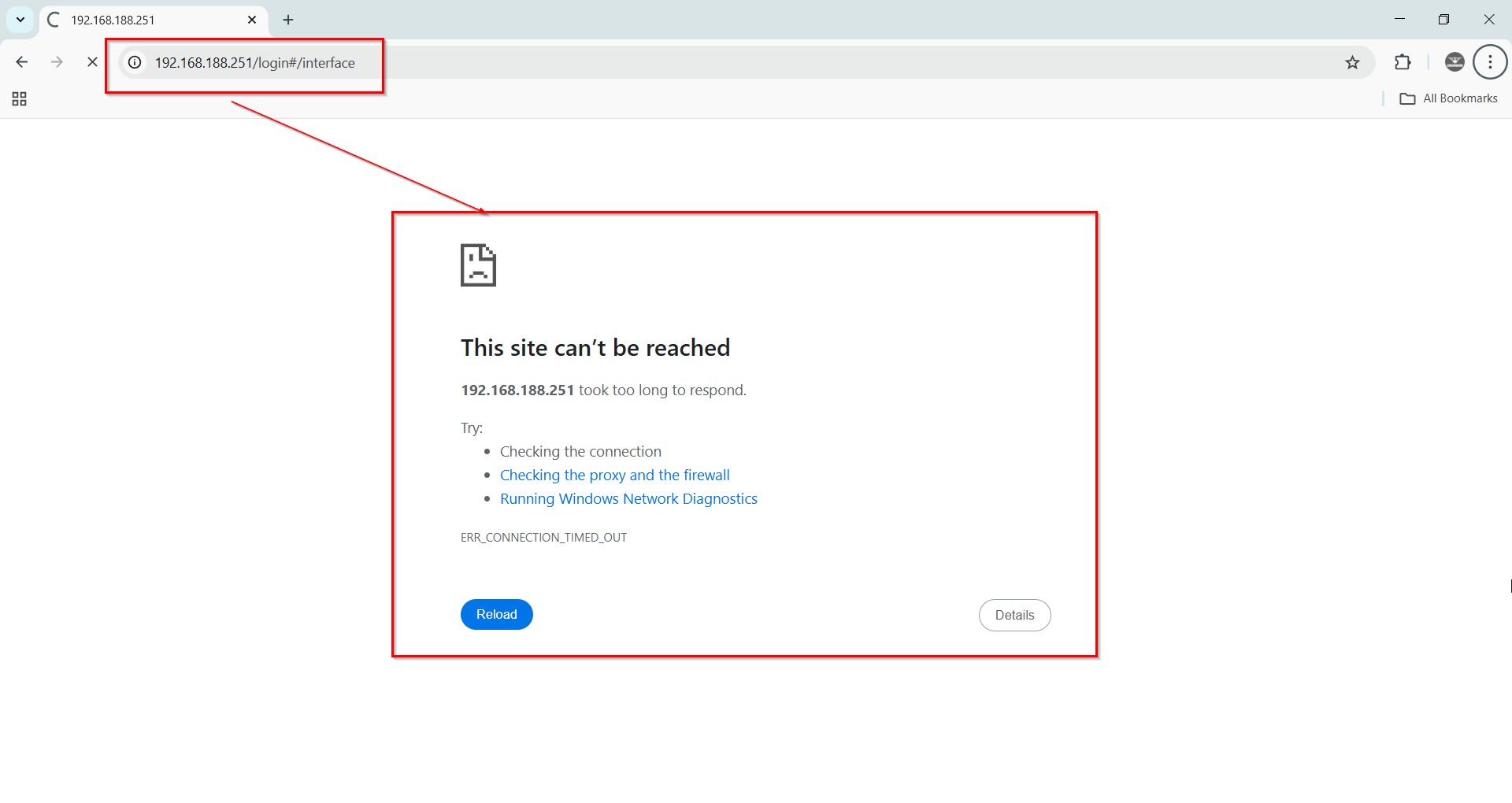
Fig 17. Default IP nonfunctional after getting DHCP on WAN port AIR-APO1200 Page
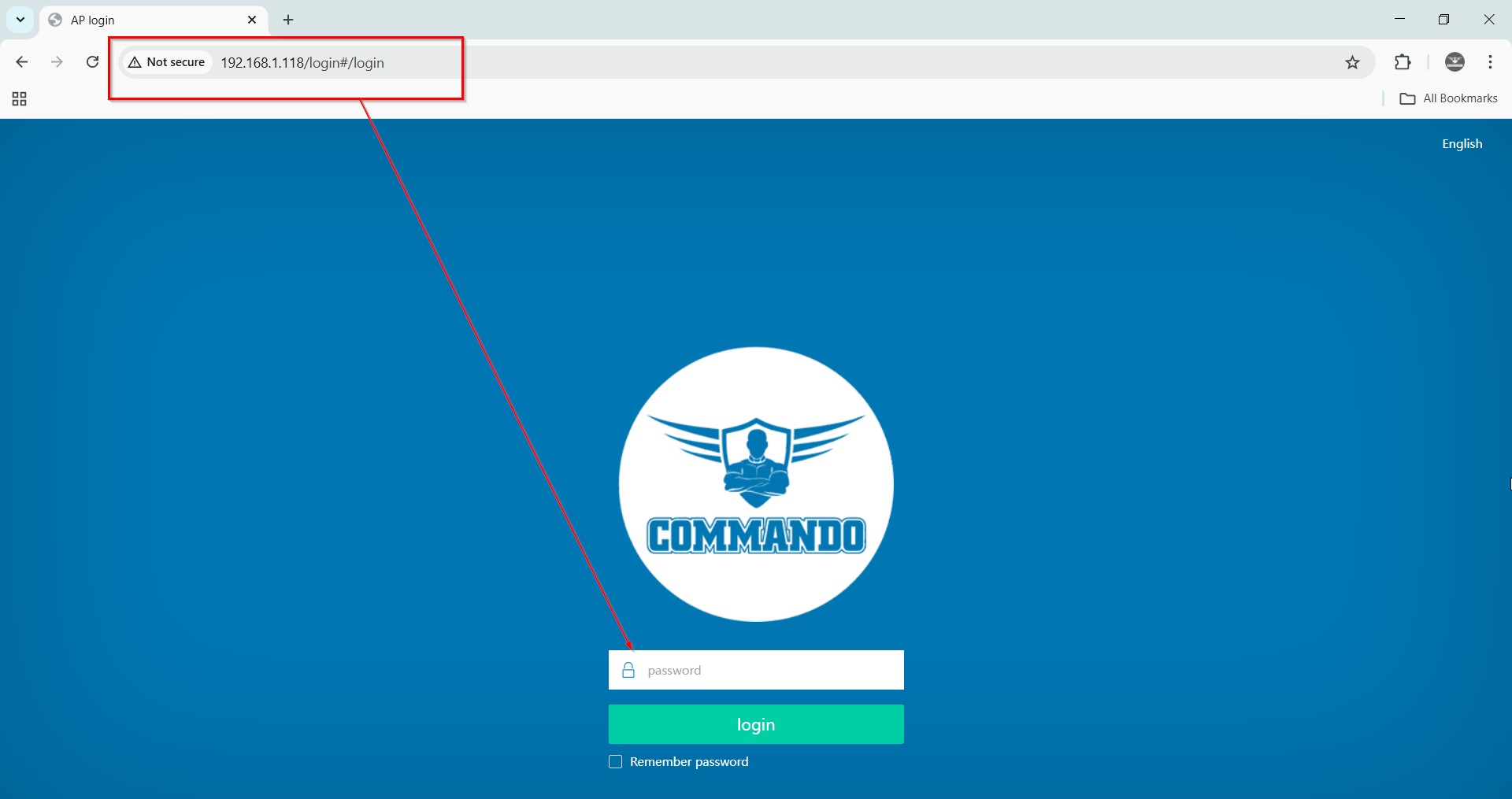
Fig 18. New DHCP IP on WAN port access page AIR-APO1200 Page
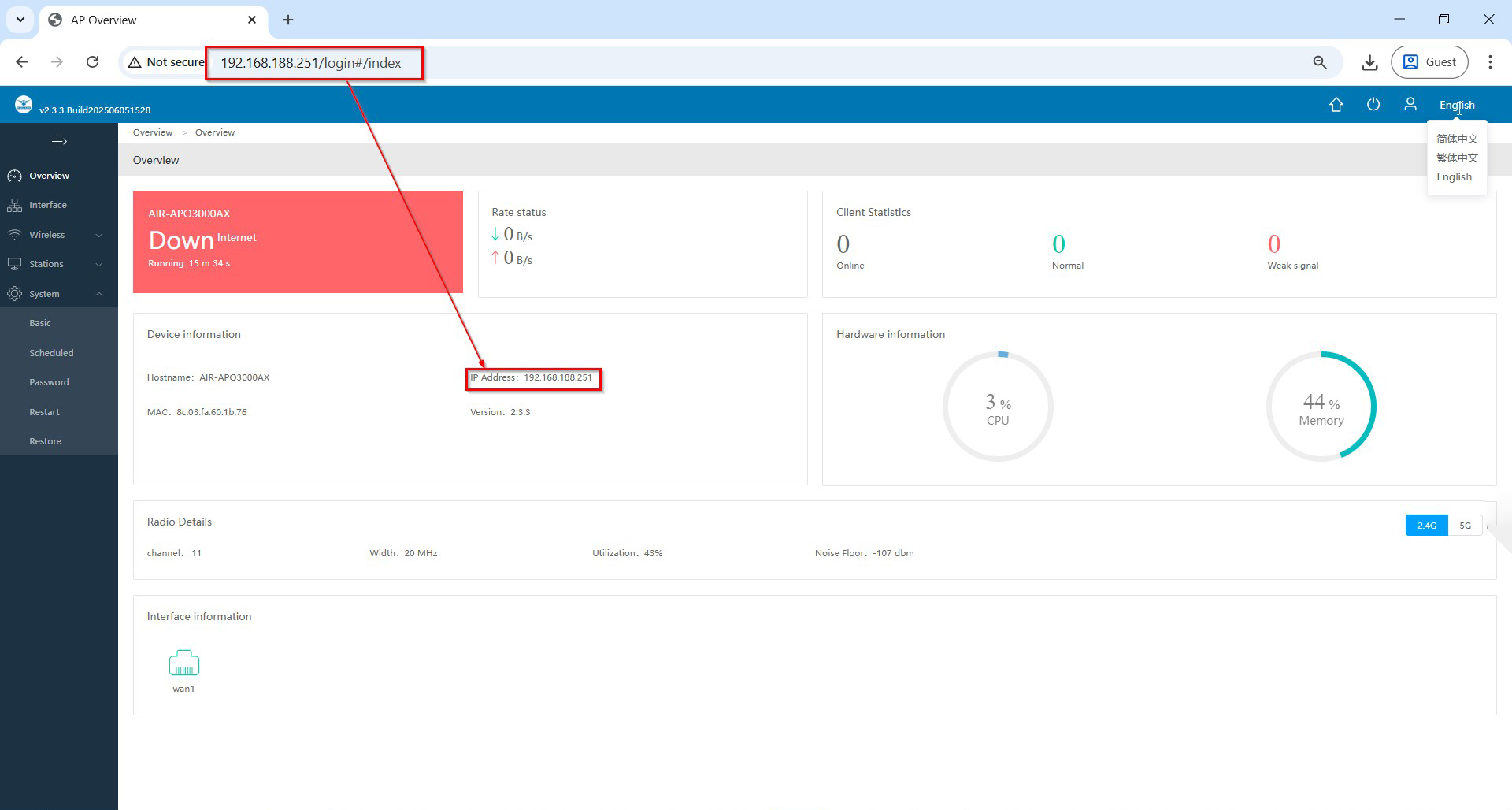
Fig 19. Access of AIR-APO1200 Page
Common issues faced While access of APO1200 access of device. This is due to Web page Browsing history issue.
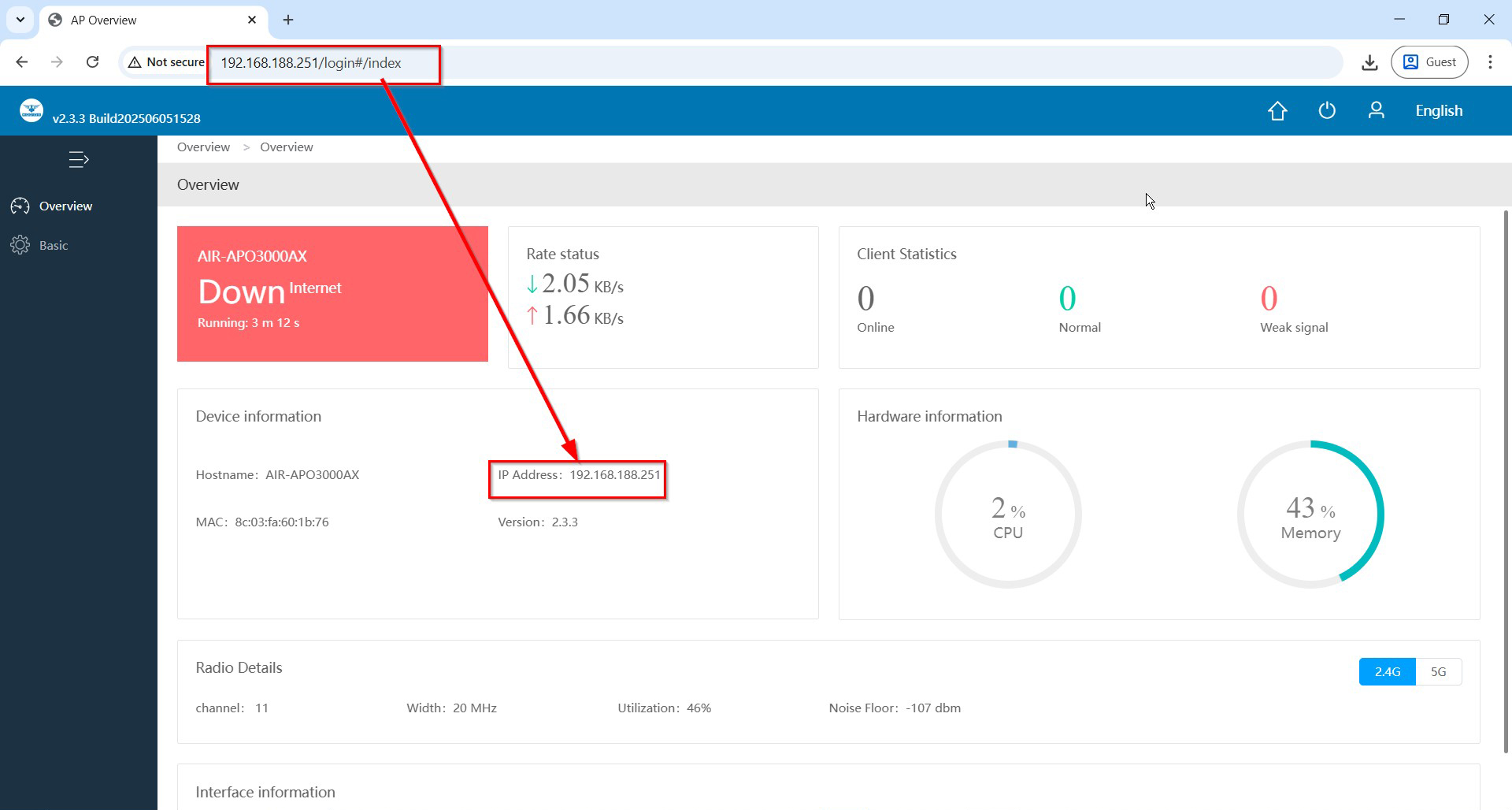
Fig 20. Access of AIR-APO1200 in FAT AP mode browsing history error Page
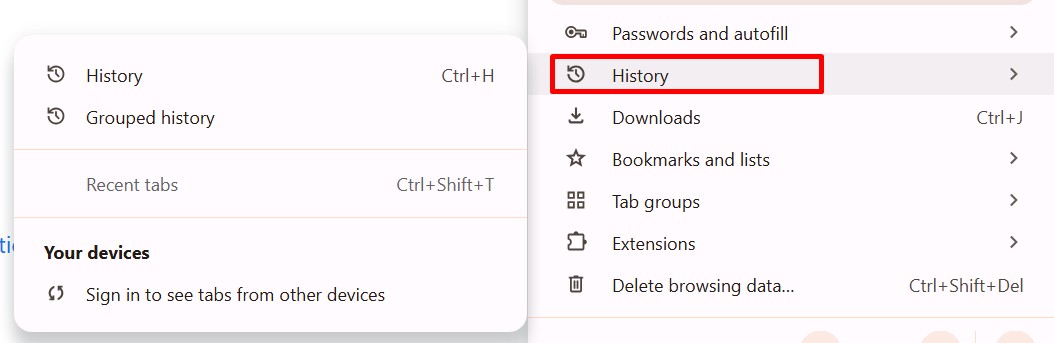
Fig 21. History of Web pages error Page
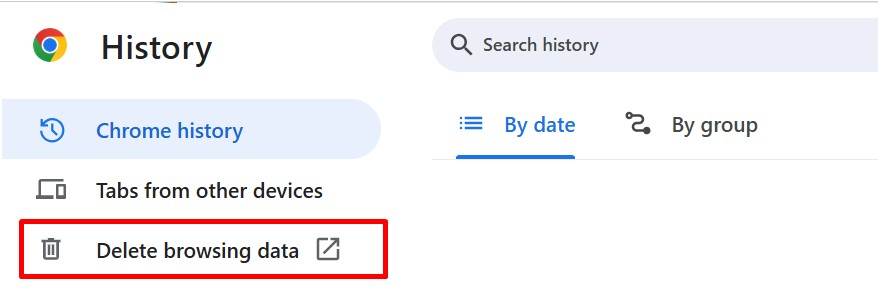
Fig 22. Delete History of Web pages for all times Page